
I Built and Published This Website from an iPhone
GitHub × Cloudflare Pages for Cony DIY Houston
I wanted a place where the experiments that disappear down my X timeline could stay organized and searchable. That led me to a custom domain, GitHub, Cloudflare Pages, and hand-edited HTML. The initial build and first public launch were done entirely from an iPhone. Since then, I have added a draft/Preview workflow, desktop layout checks, analytics, and Google Search Console.

The current setup at a glance
| Role | What I use |
|---|---|
| Custom domain | Cloudflare Registrar |
| HTML and media | GitHub Private Repository |
| Hosting / deployment | Cloudflare Pages |
| Production / Preview | main / draft |
| Site structure | Static HTML + shared style.css + article template |
| Devices | Initial build and launch: iPhone Post-launch layout checks: iPhone + PC |
| Traffic | Cloudflare Web Analytics |
| Google Search | Google Search Console |
Why build a website at all?
As I kept logging experiments on X, I found myself asking things like, “What temperature did I use for that earlier German Weissbier?” or “How many minutes did it take to put one inch of water on the lawn?” Then I would have to dig back through my own posts.
X is great for live progress, mistakes, and quick observations. It is much less convenient when I want the clean result weeks or months later.
X = live log: progress, mistakes, quick updates.
Web = organized archive: the version I can find and reuse later.
The real goal was not “own a website.” It was to build a system that makes future experiments easier to keep.
The stack: Cloudflare + GitHub + Cloudflare Pages
I started by registering conydiyhouston.com through Cloudflare Registrar. The price shown at the time was $10.46. Cloudflare says Registrar domains are offered at cost, without a markup on the registry and ICANN fees.[1]

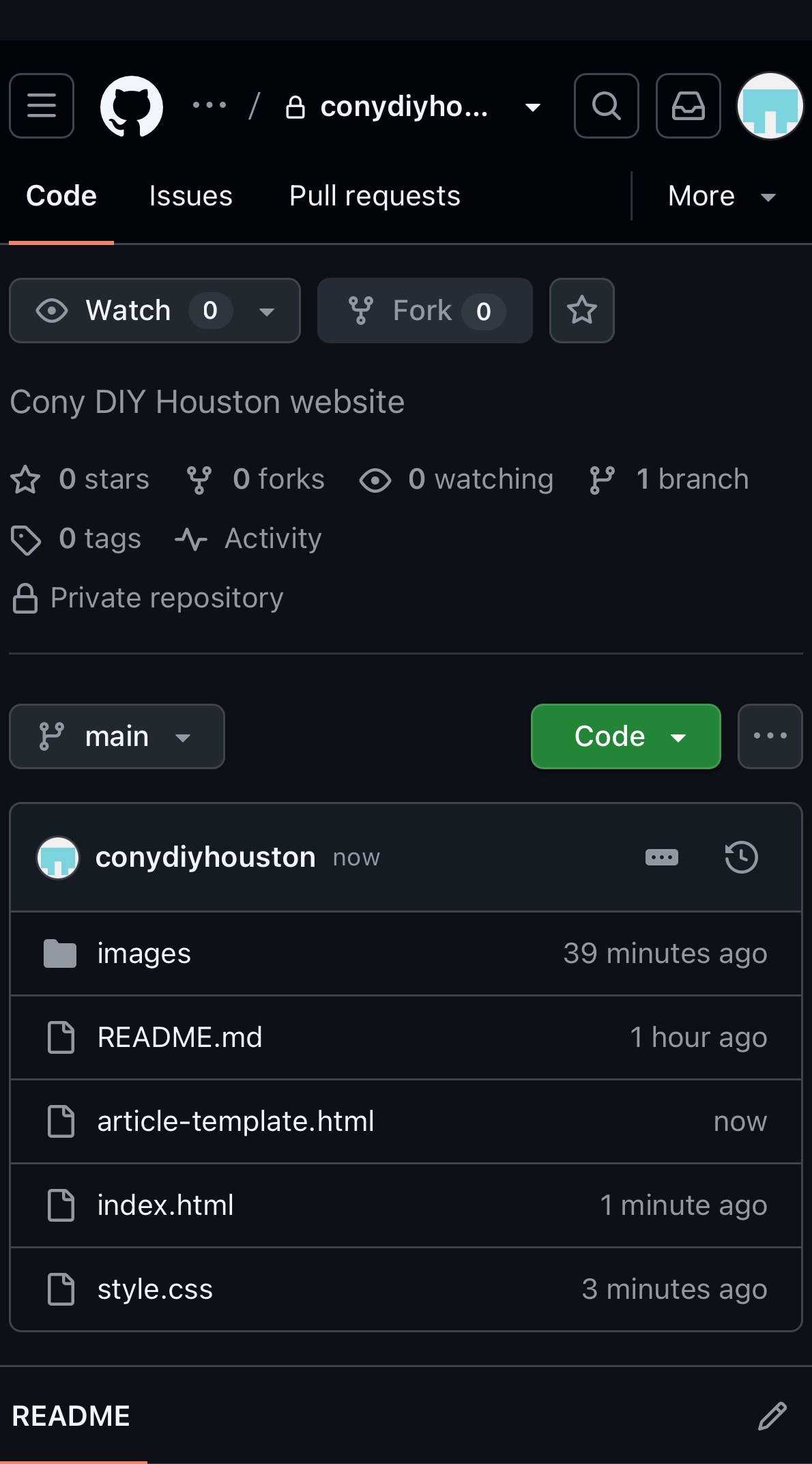
The HTML and images live in a private GitHub repository. I started with almost nothing more than a README.
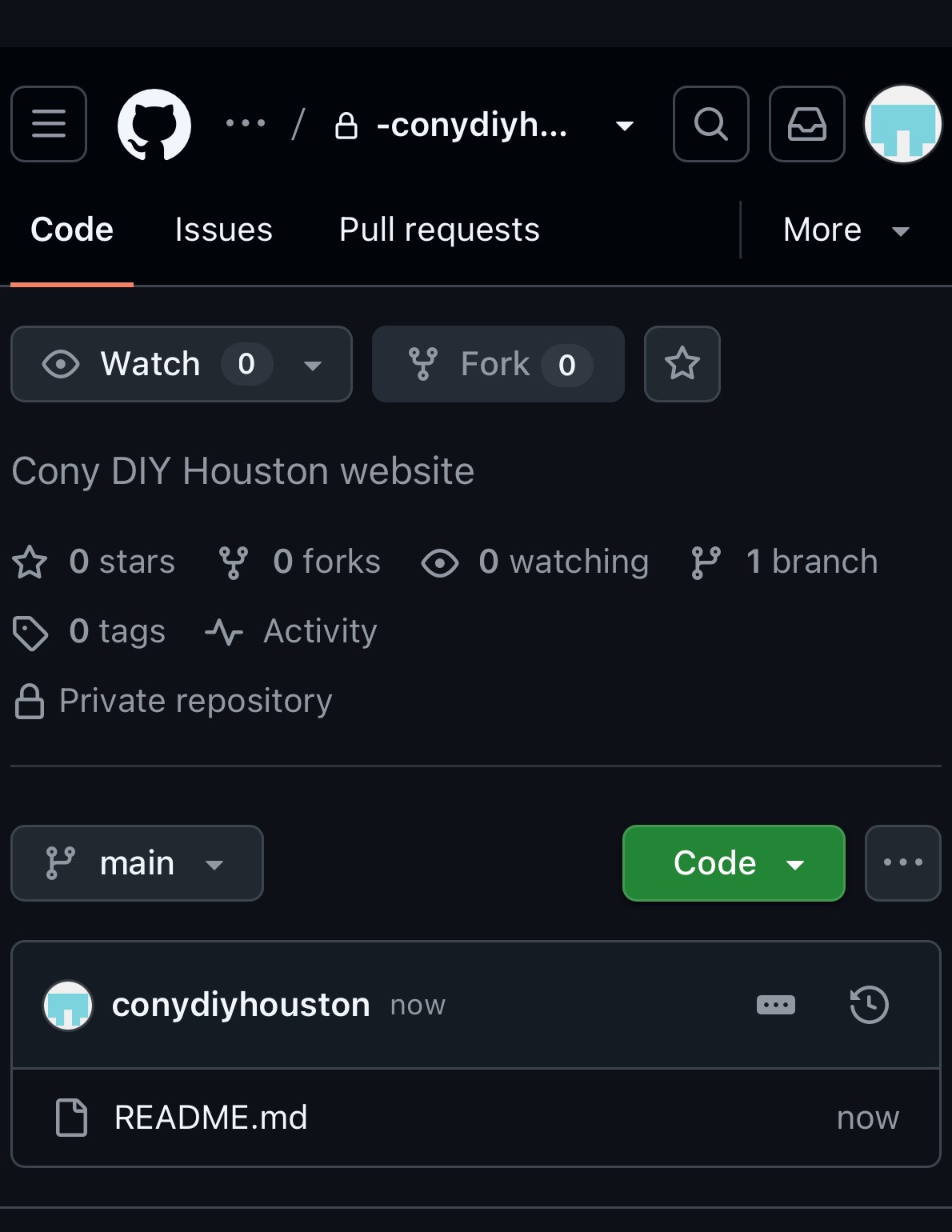
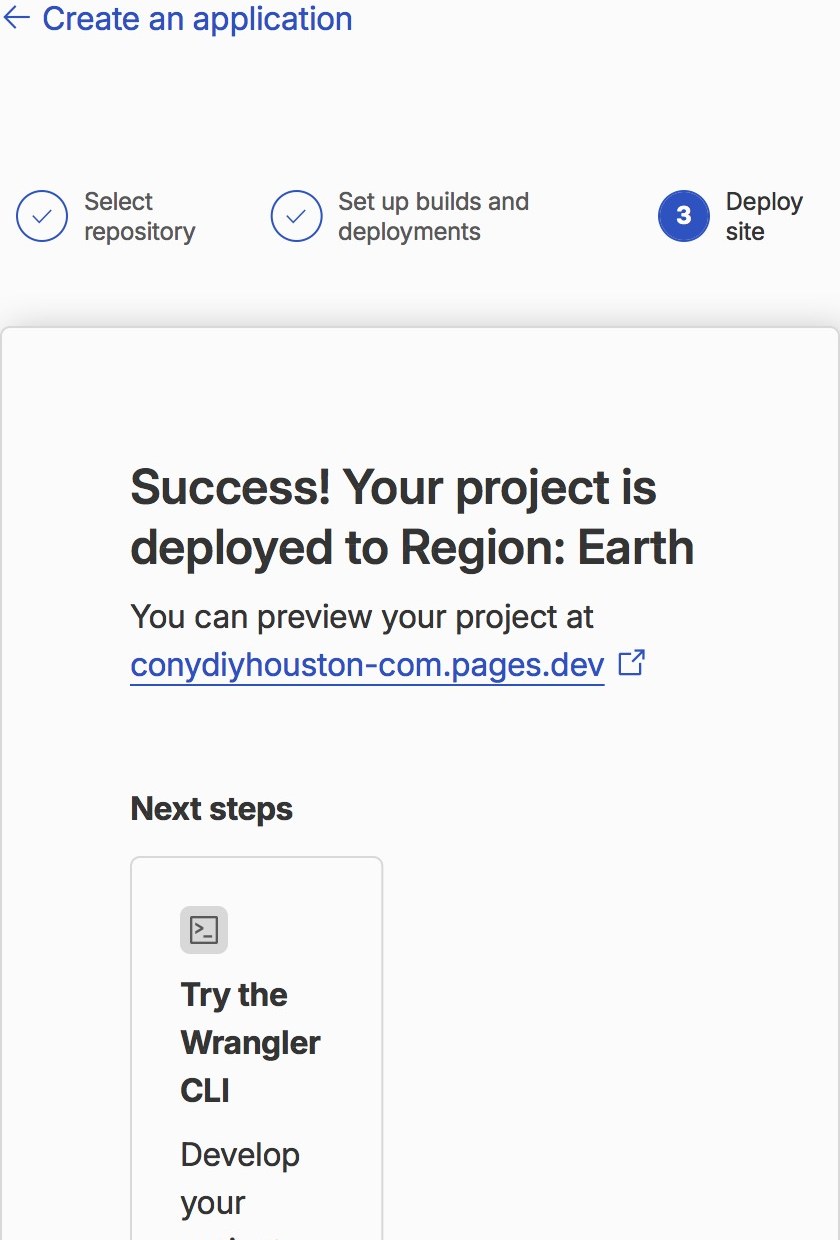
I connected that repository to Cloudflare Pages. Pages can integrate with GitHub or GitLab and automatically build and deploy when changes are pushed to the connected branch.[2]
I had spare Windows VPS capacity and thought about running IIS. That would have been a fun DIY project in its own right, but this time I cared more about making articles easy to add than about maintaining a server, so I chose a static site on GitHub and Cloudflare Pages.
The initial build and first launch were iPhone-only
The part that surprised me most was that I could go from domain registration through GitHub, Cloudflare configuration, HTML editing, media uploads, and the first public deployment without leaving the iPhone. After launch, I started using a PC too when checking how large photos and videos felt on a desktop screen. So “iPhone-only” describes the build and first launch, not every check I have done since.
GitHub lets you edit repository files through the web interface.[3] That does not mean every phone workflow is comfortable. I repeatedly got lost in filenames, extensions, folders, and Cloudflare settings.
Whenever that happened, I took a screenshot, sent it to ChatGPT, and worked one screen at a time with a “just do this next” approach. I did not understand the whole stack before I started. I learned it by solving the next screen in front of me.
The first version was literally “Website coming soon.”
The first thing I managed to publish on the custom domain was extremely simple.
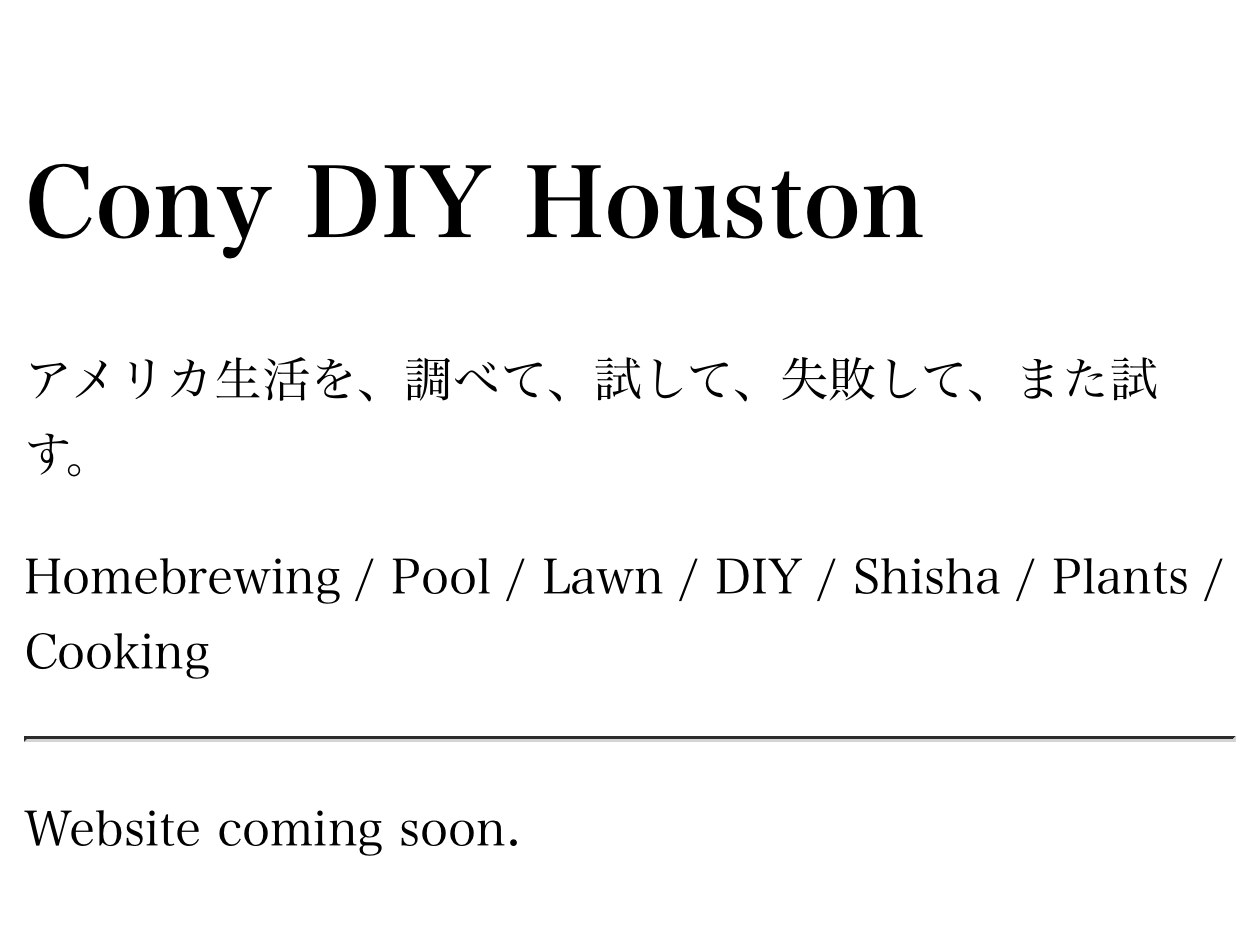
From there I brought in the logo, header image, navy, and gold I was already using on X. One intermediate idea put website text directly over the header image.
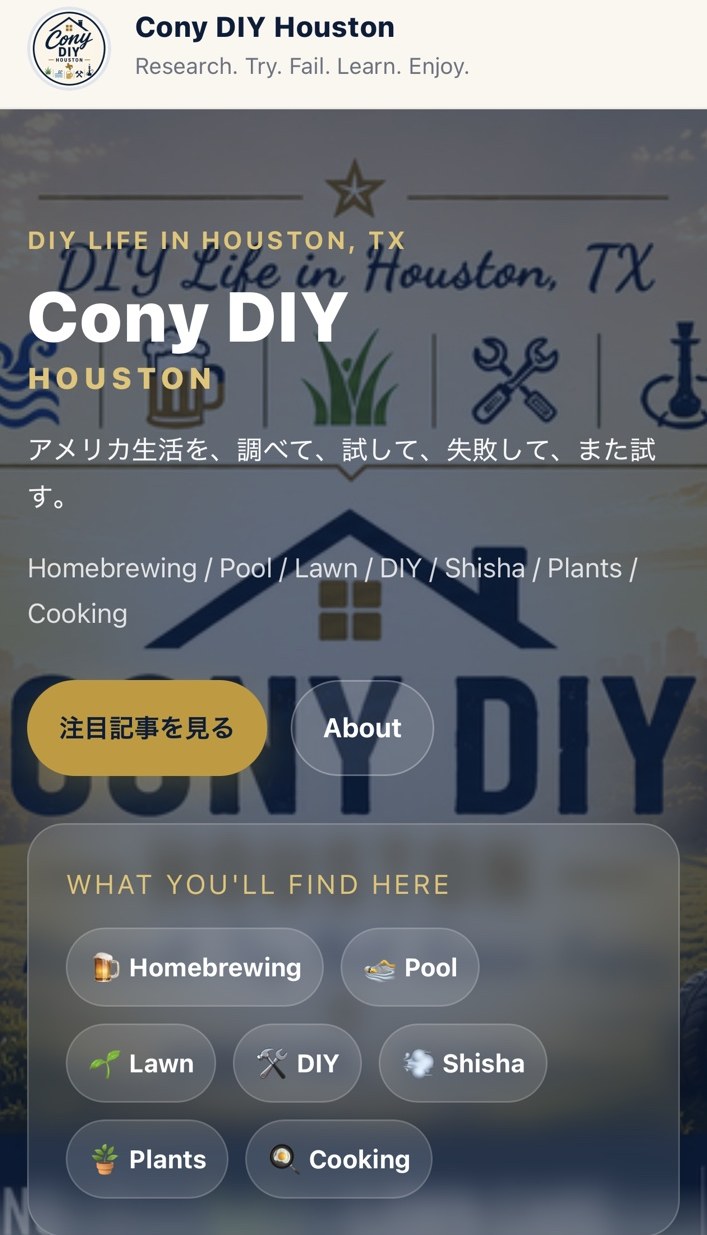
I eventually separated the two: show the hero image as an image, then put the explanation below it. Passing through a bad layout first made it much easier to see what was hard to read.
I turned the HTML into a repeatable system
A single home page was manageable, but rebuilding every article from scratch was not. I moved shared design into style.css and created an article template.
X is the live experiment; the website is the organized version
The first experiment I turned into a proper article was a German Weissbier brewed with the BeerDroid.
On X I posted the bubbles, temperature changes, questions, and tasting notes as they happened. On the website, I reorganized those fragments so the sequence and conclusion are easy to find later.
Read the German Weissbier / BeerDroid article →
The same structure now works for Beer, Pool, Lawn & Garden, DIY & Home, Shisha, and Cooking & Life.
After launch: draft → Preview → main
Once the site was public, I stopped editing production pages directly. I now use main = production and draft = work in progress. I check the draft branch through a Cloudflare Preview deployment, then merge it into main.
Cloudflare Pages can create Preview deployments from non-production branches, which fits this workflow well.[2]
Cloudflare Web Analytics tells me what gets read
After launch I enabled Cloudflare Web Analytics. Cloudflare describes it as privacy-first Real User Monitoring that can report page views, visits, and web-experience metrics.[4]
The site is still new, so I care less about big numbers than about seeing which articles start getting read.
Google Search Console tells me how the site appears in Search
After making the site public, I verified the domain property in Google Search Console and submitted sitemap.xml. The Sitemaps report lets a site owner submit a sitemap and monitor whether Google can process it successfully.[5]
I also used URL Inspection on the home page and key articles to run live tests and, where useful, request indexing. Google documents URL Inspection as the place to check a URL's index status, test a live URL, and request indexing.[6]
Soon after launch, Search Console notified me that search impressions were being collected, and the Performance report began showing impressions and clicks for the home page and some articles. I now think of the two tools this way: Cloudflare Web Analytics shows what happens after someone reaches the site; Search Console shows how Google Search is discovering and displaying it.
What I learned
Bottom line
X is the live lab notebook; the website is the organized archive. GitHub and Cloudflare Pages gave me a repeatable publishing workflow, and I was able to build and launch the first version entirely from an iPhone.
I plan to keep doing the same thing: research → try → measure → compare → preserve it on the web.
Research. Try. Fail. Learn. Enjoy.
References
- Cloudflare Docs, Cloudflare Registrar — Overview. Cloudflare's description of at-cost / no-markup domain registration. Official documentation
- Cloudflare Docs, Git integration — Cloudflare Pages. GitHub/GitLab integration, automatic deployments, and Preview deployments. Official documentation
- GitHub Docs, Editing files. Editing repository files through GitHub's web interface. Official documentation
- Cloudflare Docs, Cloudflare Web Analytics. Privacy-first analytics and Real User Monitoring. Official documentation
- Google Search Console Help, Sitemaps report. Submitting a sitemap and monitoring processing status and errors. Official help
- Google Search Console Help, URL Inspection tool. Checking index status, testing a live URL, and requesting indexing. Official help
Screenshots, prices, and interface labels reflect what I saw during the build in August–September 2026. Service interfaces and pricing can change.
Questions or comments about this article?
If you are trying to build a similar static site with GitHub and Cloudflare, or you are wondering how far you can get from an iPhone, feel free to ask.
The website keeps the organized version. On X I also post the screens where I get stuck, the changes that fail, and the fixes as they happen.