
Can ChatGPT Help Read Pool Test Strips? I Tried It as a Color-Matching Second Opinion
Pool test strips are easy to use until a pad lands right between two colors. I gave ChatGPT the actual bottle chart and test-strip photos, then used it as a second opinion rather than a measuring instrument.
Quick takeaways
| Role | Use ChatGPT as a color-matching second opinion, not as a meter |
|---|---|
| Reference | Start with the actual color chart from the test-strip bottle |
| Output | Ask for a range when a pad falls between chart colors |
| Best use | Comparing the current result with previous readings |
| Photos | Keep lighting, location, phone, and background as consistent as practical |
| Important decisions | Confirm with another testing method when accuracy matters |
Test strips are simple. The color boundaries are not.
I use test strips for routine pool checks because they are quick: dip the strip, wait the specified time, then compare each pad with the chart on the bottle.
The awkward part is when a pad looks like it sits halfway between two blocks. pH and total alkalinity are good examples. Sometimes the honest answer is not “this one” or “that one,” but “somewhere in between.”
That is where I started using ChatGPT. I still read the strip myself first, then let the model look at the same chart and strip photo. The goal is not to outsource the answer. It is simply to add another opinion to the color match.
First, give it the actual color chart
I started by photographing the chart on the bottle. This strip includes color references for pH, total alkalinity, total hardness, cyanuric acid, salt, total chlorine, free chlorine, bromine, copper, and other parameters.
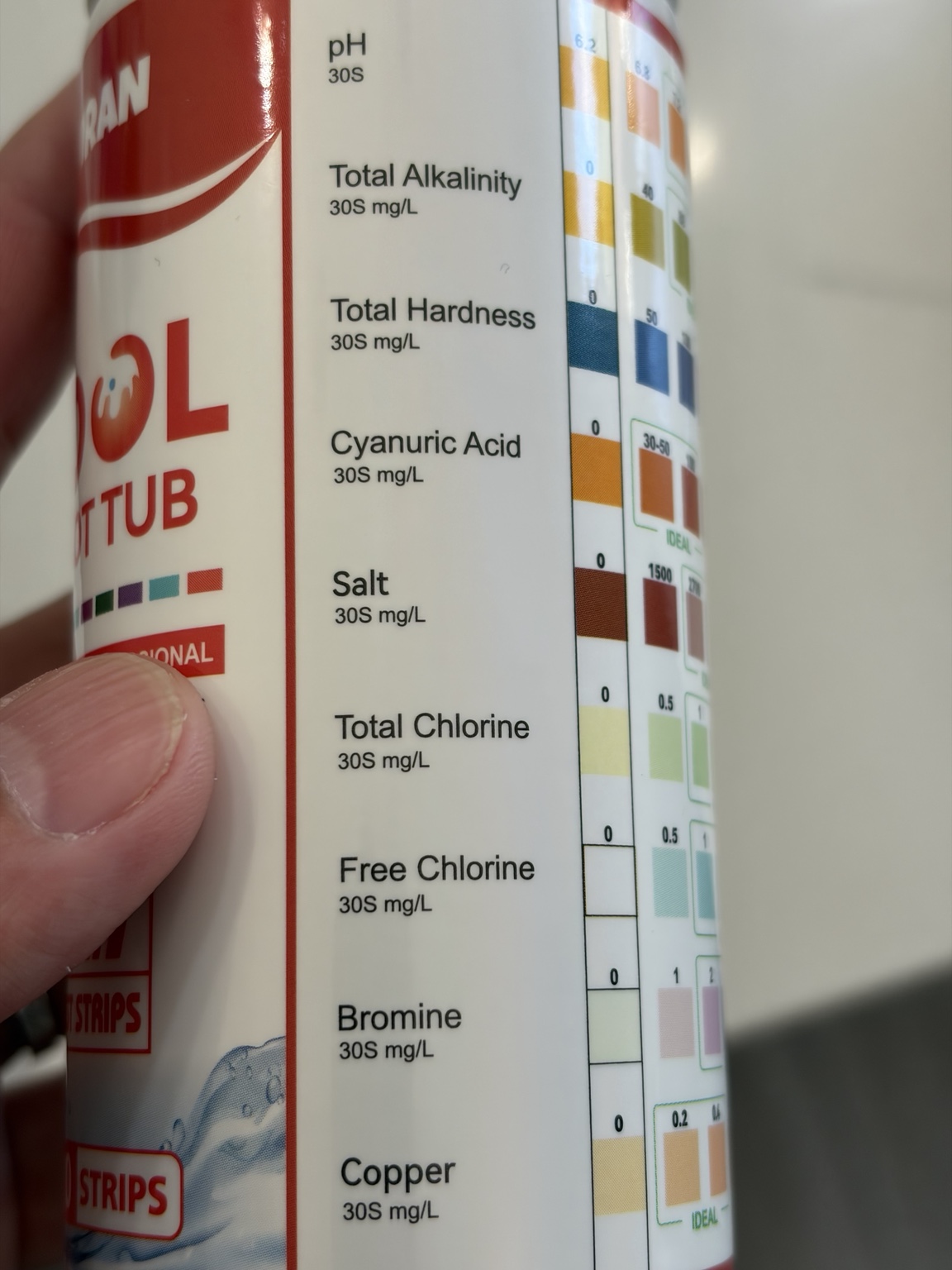
That matters because I am not asking, “What color does pH 7.6 look like in general?” I am asking, “Where does this pad fall on this specific product’s chart?”
Color chart as the reference → strip photo → estimated range for each pad → comparison with the previous reading.
Then send the test-strip photo
I read the strip at the timing printed for the product, shake off excess water lightly, and take a photo. Then I ask for a color match against the chart.
For this photo, the visual estimates came out roughly like this:
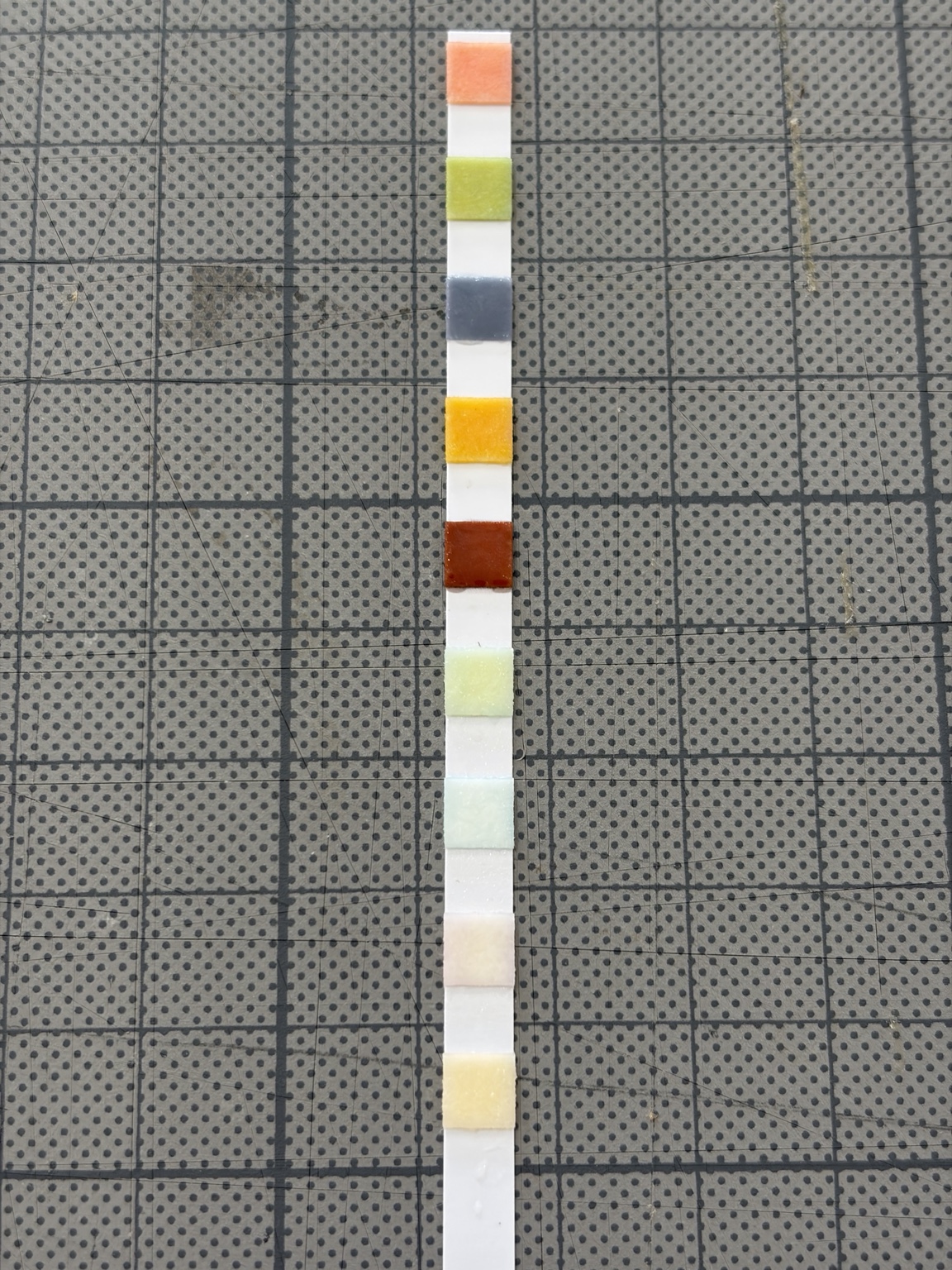
| Parameter | Estimated from the photo |
|---|---|
| pH | about 7.6–7.8 |
| Total Alkalinity (TA) | 80–120 ppm, leaning toward 80–100 |
| Total Hardness (TH) | about 250 ppm |
| Cyanuric Acid (CYA) | 30–50 ppm |
| Total Chlorine (TC) | about 1 ppm |
| Free Chlorine (FC) | about 0.5–1 ppm |
| Copper | about 0–0.2 ppm |
| Salt / Bromine | not part of my current control method |
These are visual estimates from a photo, not calibrated measurements.
I do not force a single number
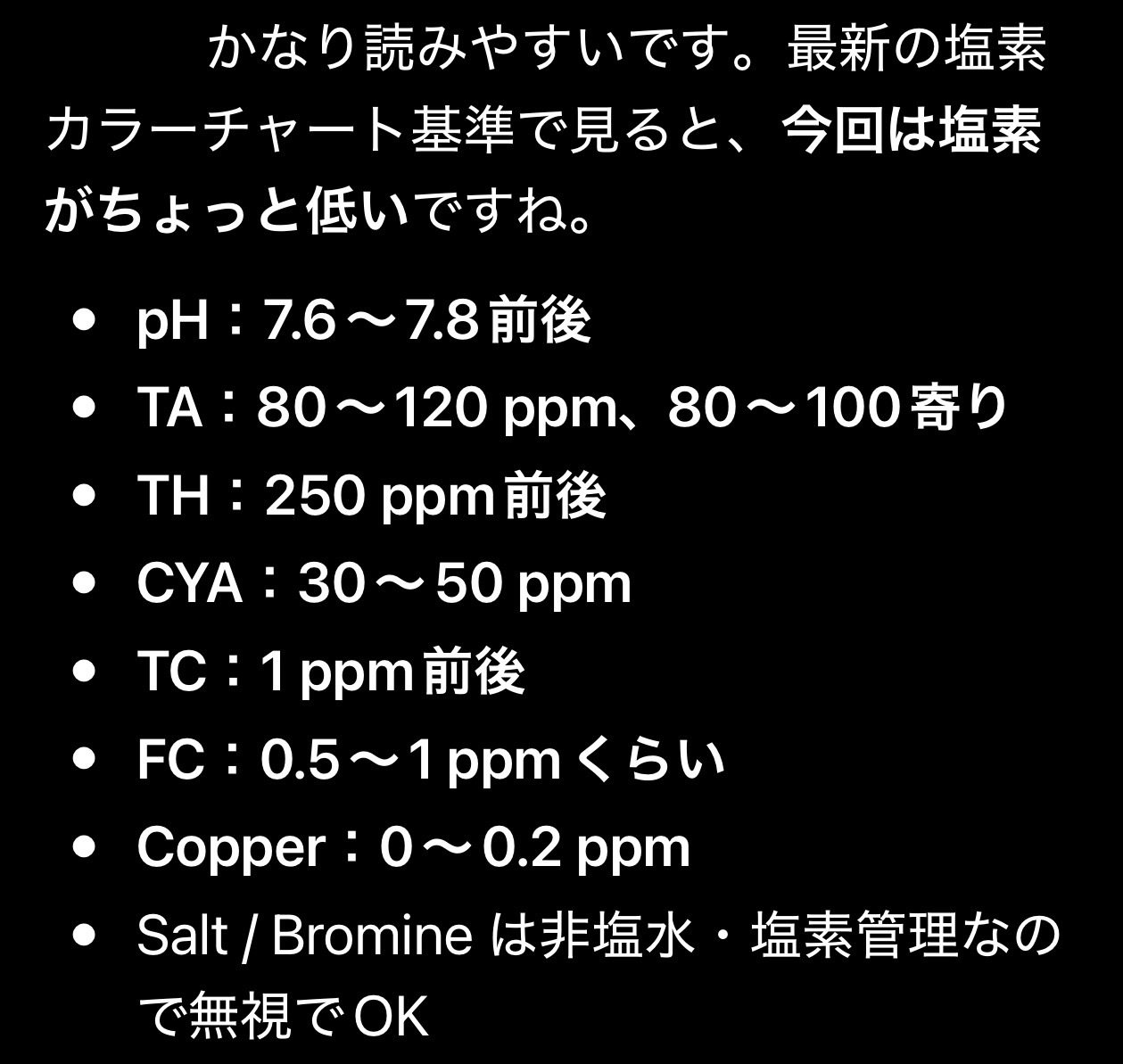
If a color looks borderline, I want the answer to stay borderline. Instead of calling the pH “7.7,” I would rather keep it at about 7.6–7.8. For alkalinity, “80–120 ppm, leaning toward 80–100” is more useful than pretending the photo can support a perfectly precise value.
The strip itself uses discrete color blocks. Adding fake precision on top of that does not make the result better.
The most useful part is comparing with the previous test
A one-off reading is helpful, but I can already compare one strip with one bottle chart myself. The workflow became much more useful when I started keeping the previous interpretation in the conversation and asking about the change.
- Did pH move up or down?
- Is total alkalinity basically unchanged?
- Did chlorine fall?
- Is the new strip still inside the same range?
Even when the exact number is uncertain, a consistent photo setup makes “higher,” “lower,” or “about the same” a useful extra layer in the log.
The prompt I use
Use this color chart as the reference for the test strip.
If a pad falls between chart colors, report a range instead of forcing one value.
If a parameter is difficult to judge from the photo, say so clearly.
If a previous result is available, compare it as higher, lower, or about the same.
Keep the photo conditions as consistent as possible
The obvious limitation is that ChatGPT is looking at a phone photo of the strip, not the strip itself. Lighting, shadows, white balance, and the background can all change how the pad appears.
So for trend tracking I try to keep the setup repeatable:
- same location when possible
- similar lighting
- same phone
- similar background
- the product’s specified reading time
- avoid harsh direct sun and heavy shadows
ChatGPT is not the measuring instrument
This distinction matters. ChatGPT is helping compare visible colors in a photo. It is not chemically measuring the pool water.
CDC guidance also tells swimmers and pool users to check pH and disinfectant levels with test strips and to follow the manufacturer’s directions. Its general public-pool guidance lists pH 7.2–7.8 and at least 1 ppm free chlorine for pools.[1]
For an important chemical adjustment, or whenever the color is genuinely hard to read, I would rather confirm with another testing method. In this setup, AI is one more vote on the color match, not the final authority.
What I learned from using it this way
- It is useful when I am stuck between two chart colors.
- Ranges are more honest than fake precision.
- Previous-reading comparisons are more useful than one-off guesses.
- The photos also become a simple visual water-quality log.
The photo itself has limitations, so this does not replace proper testing. But as a repeatable second opinion for color matching and trend tracking, it has been surprisingly useful.
Research. Try. Fail. Learn. Enjoy.
My next step is to keep the same log while I intentionally adjust pH and total alkalinity, then see how clearly the changes show up.
References
- Centers for Disease Control and Prevention (CDC). Check Out Healthy and Safe Swimming! Guidance includes pH 7.2–7.8, at least 1 ppm free chlorine in pools, and following manufacturer directions when using test strips. CDC PDF
Pool chemistry targets can vary with sanitizer system, CYA, equipment, and local conditions. This article is about using photos as a visual-reading aid, not about replacing a water test.
Questions or comments about this post?
If you tried something similar, spotted something interesting, or have a question, feel free to send me a note. Add your email only if you'd like a reply.
The website is where I organize the method and conclusions. On X, I post the messier middle: “which color is this?”, “I changed the pool chemistry,” and “what happens next?”